Create new tax
project manager gives you the ability to add unlimited tax rates on your invoices/estimates/proposals etc..
You can add new tax rates by following the steps below:
- Navigate to Setup->Finance->Tax Rates.
- Click on the top left button New Tax
- Enter tax name
- Enter tax rate
- Click Save
The tax you created will be available in the dropdown for each item.
| When updating tax and this tax is already applied on item the tax information wont be changed. |
Hide tax per item
The system by default shows tax per item, there is option to turn this off and all the taxes will be calculated on the bottom of the invoice/estimate.
Note that when you add your invoice/estimate items you will still need to add the item taxes to get the desired calculations. The tax per item will be hidden when your customer view the invoice/estimate.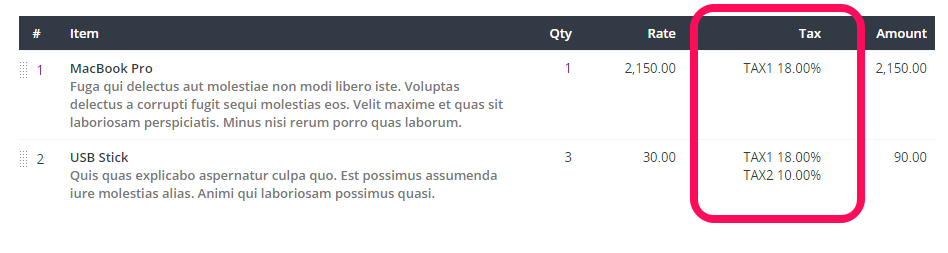
To disable this feature navigate to Setup->Settings->Finance and set Show TAX per item (Invoices/Estimates) to NO.
NOTE: If you are using your own templates for generating PDF for estimates and invoices you should not remove this logic from the templates if you want this option to work as it should, otherwise you can adjust the template to fit to your needs no matter how Show TAX per item option is set.