Items is a feature that will allow you to create predefined items which will speed up the process when creating new invoices/estimates/proposals.
Create new item
To create new items from the main admin menu navigate to Sales->Items and click on the top left button New Item.
- Description – Give the item short description of item heading.
- Long Description – Item long description for more detailed information.
- Rate – The total cost for this specific item you are creating without taxes.
- Tax – Apply item predefined tax, the tax will be auto-applied when creating new invoice/estimate/proposal/credit note
- Unit – If you need to the use unit for the item you can add exactly in this field. Eq. lots, kg
- Item Group – If you have a lot of items and you need to organize them in groups you can select a groups that you previously created in the same screen by clicking on the Group top left button.
Click Save to save all the item information.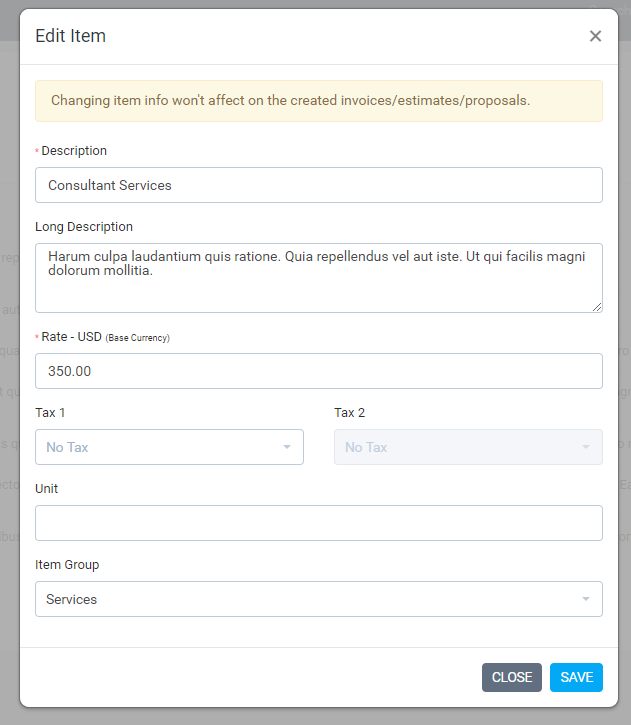
| After the item is linked to transaction eq. invoice/estimate/proposal changing the item information won’t affect currently created transactions. |
Linking item into transaction
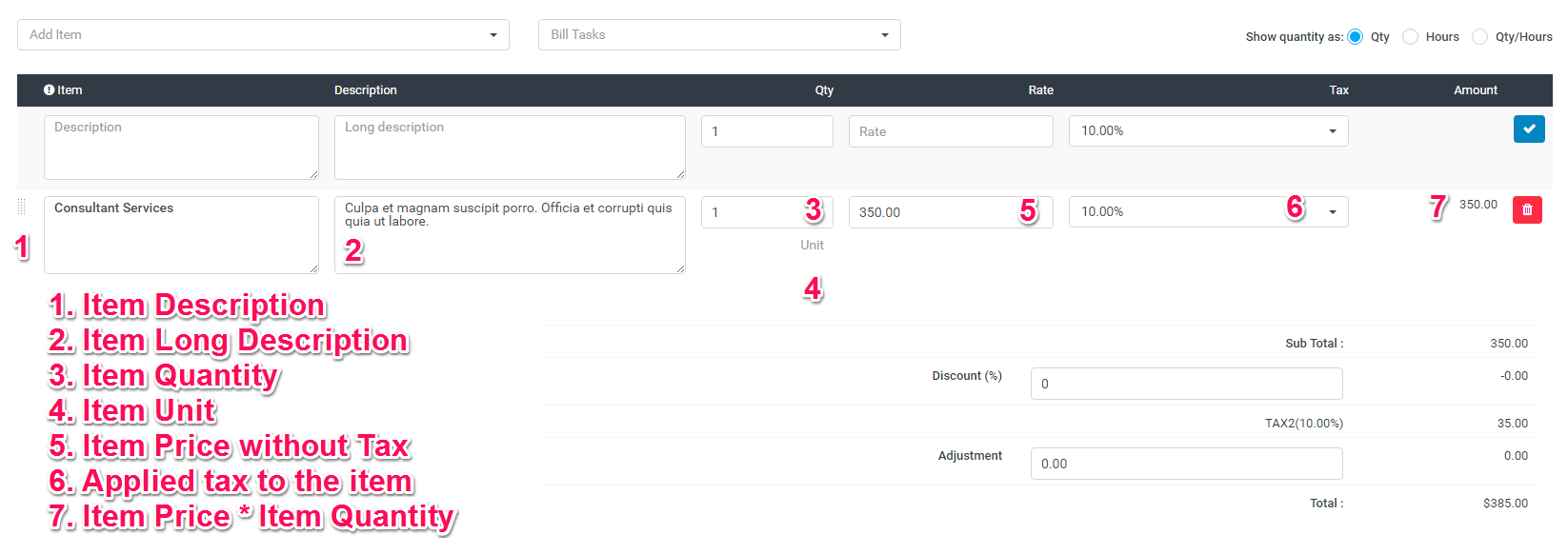
This is very specific example that will show you how to link an item to invoice with all the fields explained.
Navigate to Sales->Invoices and click on the top left button create new invoice and fill all the necessary information for this invoice.
On the top left Add item dropdown you can select your predefined items that will be auto inserted into the preview item area without you needing to fill all the necessary item information manually.