Add currencies in total to words feature


If you are using total to words in your transactions you need to add the currency words manually into the translation.

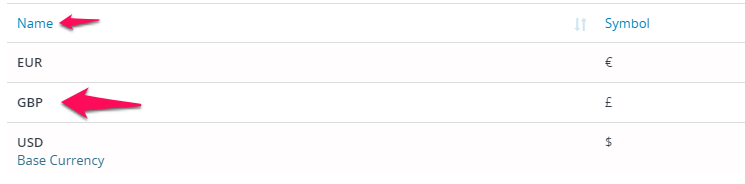
The system comes with 2 predefined currency names who are already added into the converter. If you added your own currency you need to add this also to total to words converter.

You need to add your currency database name and the currency string who will be output inside the invoice/estimate.

Did you find this article useful?


  • Tracking Sent Emails

    There is a new unique feature added in for tracking sent emails if they are opened for the “sales” features. This feature will help you to...

  • Subscriptions

    Configure Stripe subscriptions You will need first to configure the Stripe Checkout payment gateway in order to use the Subscriptions feature. Please ...

  • Add Items/Products

    Items is a feature that will allow you to create predefined items which will speed up the process when creating new invoices/estimates/proposals. Crea...

  • Tax Rates

    Create new tax project manager gives you the ability to add unlimited tax rates on your invoices/estimates/proposals etc.. You can add new tax rates b...

  • Payment Modes

    To add new payment mode go to Setup->Finance->Payment Modes and click on the top left button New Payment Mode Payment Mode Name – Eq....