Create a Proposal Template
1. In application/views/admin/proposals create folder templates
2. In the folder (templates) you created, create file eq. template_1.php and eq add:
<div>
<p>THIS IS TEMPLATE CONTENT</p>
</div>

Add your template contents and save the file.

Keep in mind that you can’t add full page HTML templates with "<head></head>"
attributes, if you need to add CSS into the template,
you must add the CSS inline on the HTML attributes.
Load template
If you are using version 2.0 or above, open some proposal for preview and inside the content editor Right Click and you will be able to see the menu items Template.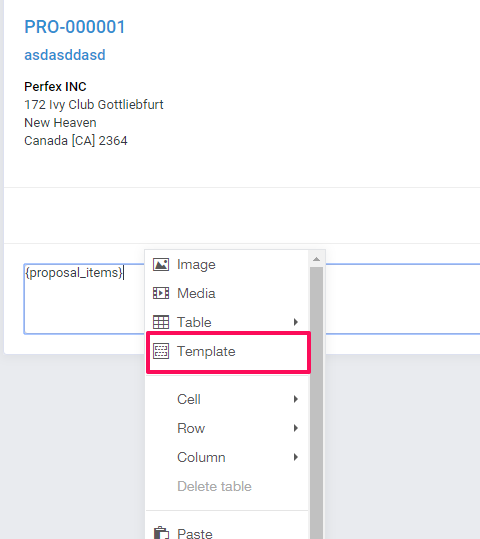
A new popup will be shown with all the templates you created, you can use here content parts or whole templates for your proposals. You can repeat the same process for an unlimited number of times and create unlimited proposal templates/parts.