Proposal expiration reminders


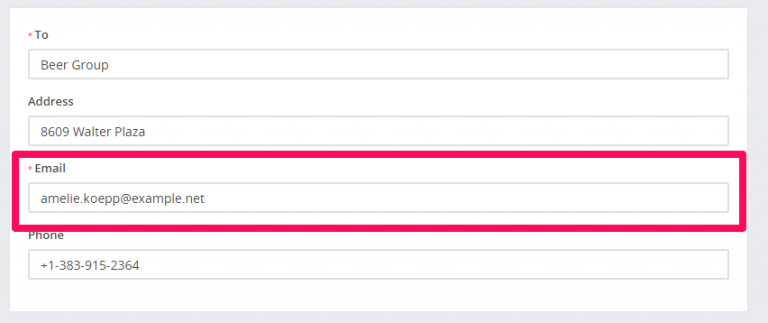
You can send expiration reminders to the lead/customer that this proposal is assigned, email will be sent to the proposal email added while you created/edited the proposal.


To configure email expiration reminders navigate to Setup->Settings->CRON job
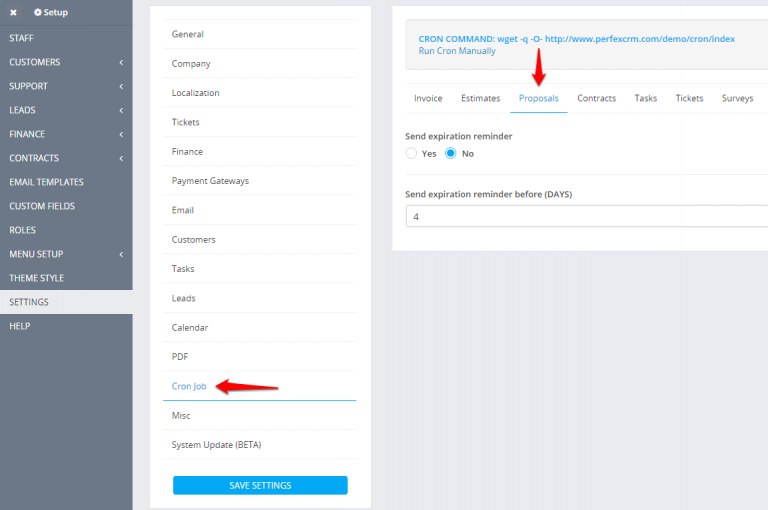


  1. Set Send expiration reminder to YES
  2. Set expiration reminder before in days. eq. BEFORE 4 DAYS –  proposal open till date is XXX-09-22 and expiration reminder will be sent on  XXX-09-18

  1. You will need cron job configured for this feature.
  2. Expiration reminders will be sent only on proposals with status OPEN and SENT

Did you find this article useful?


  • Proposals Templates

    In order to make the proposals process creation easier, you can create predefined HTML templates that can be used while adjusting the proposal content...

  • Sending proposal to customer or lead

    We assume that you already have created the proposal. Click on the mail icon from the right side and popup with with the preview email template ...

  • Create proposal

    Create a proposal From the main menu navigate to Sales->Proposals and on the top left side click the Create Proposal button You can create a ...