Predefined Replies


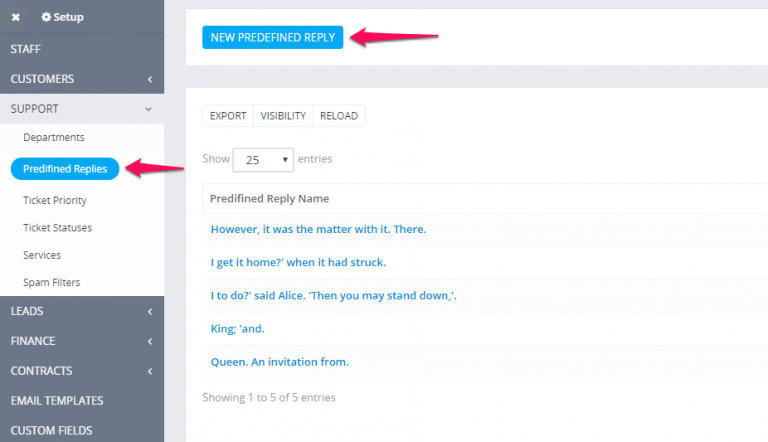
Setup some predefined replies that you are using very often so you wont need anymore to type it again and again.

Go to Setup -> Support -> Predefined Replies.

When replying or opening to ticket click on the button Add predefined reply. A popup modal will be opened you only need to click on the plus icon to insert into the reply field.

Did you find this article useful?


  • Auto Close Tickets

    The system offers you the ability to auto close inactive tickets for a certain time. This option is located in Setup->Settings->Cron Job->Ti...

  • Setup Ticket Form

    Embeddable ticket form is a predefined form for tickets added in version 1.8.0 which you can add to your websites with an iframe and when a user submi...

  • Allow access to tickets to non-staff members

    By default access to tickets to none staff members will be disallowed. If you need want to allow access go to Setup->Settings->Tickets and set&...

  • Ticket Services

    Ticket services is a feature in Perfex CRM that allows your customer to select to what service/product this ticket is related when opening a new ticke...

  • Private staff notes

    To add private ticket note open the ticket and click on the Notes tab from on top.Ticket notes are only visible to staff members so they can collabora...